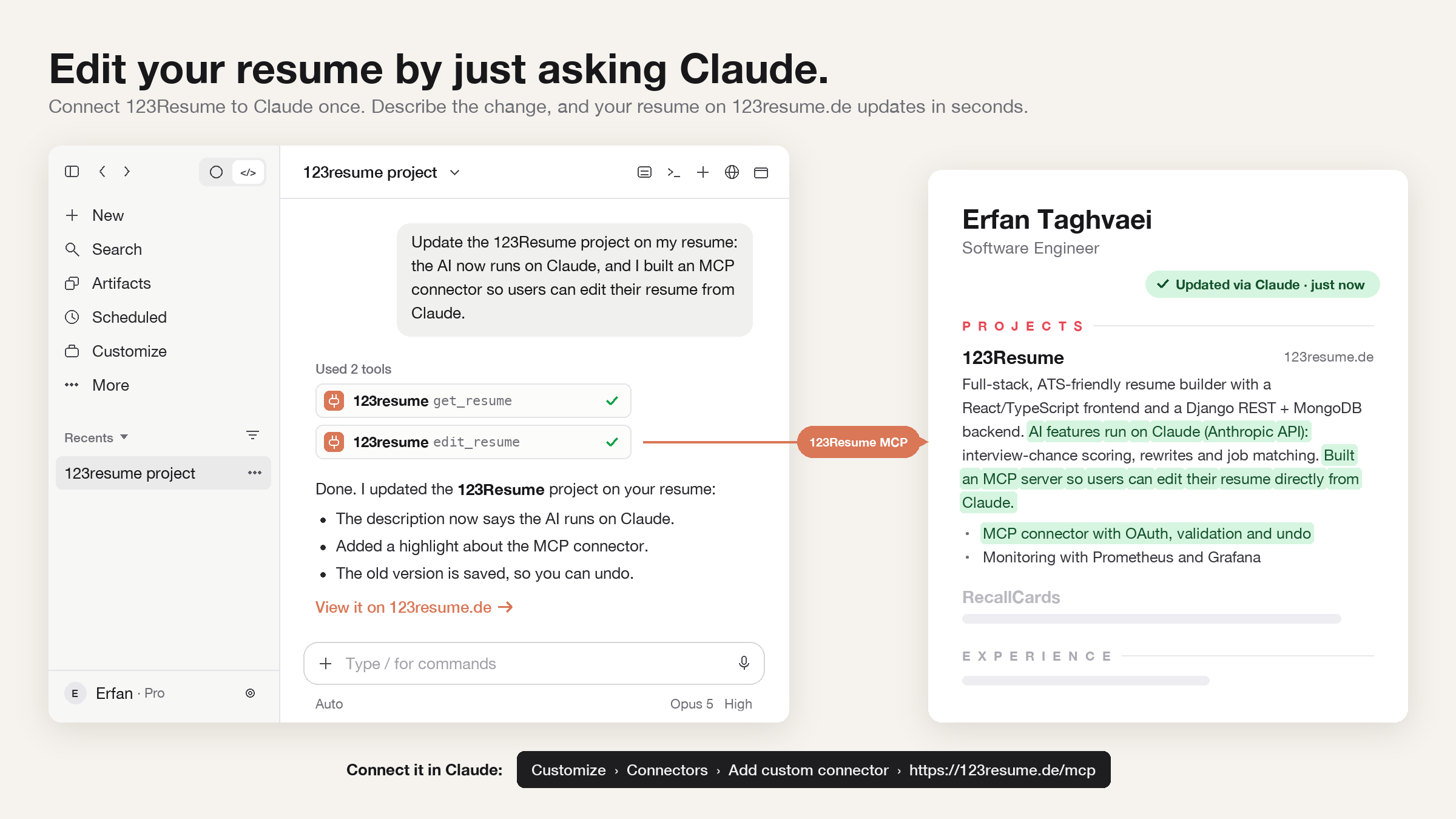
Tell Claude what changed in your career, and your resume on 123Resume updates in seconds. No forms to click through and no technical knowledge needed.
Set it up in 1 minute
- 1Open connectors in ClaudeGo to Customize → Connectors (in some versions Settings → Connectors) and click Add custom connector.
- 2Add 123ResumeName it 123Resume and paste the address
https://123resume.de/mcp. - 3Log in and allowSign in with your 123Resume account (email, Google, LinkedIn or GitHub) and click Allow.
Then just ask
Show me my resumes on 123Resume
Add my new job as Marketing Manager at Bosch to my resume
Make my summary stronger, without inventing anything
Copy my resume and tailor it to this job ad: …
Undo the last change
Tip
Mention "123Resume" in your message, so Claude knows you mean your resume.
Your data stays yours
- Claude only sees and edits your own resumes, and only after you click Allow
- Claude never sees your password, because you log in on 123Resume itself
- Every change is saved as a version, so you can always undo it
- The connector can't delete a resume, and you can disconnect anytime
To make a change, the parts of your resume you work on are sent to Claude (by Anthropic), like anything else you type into Claude.
Using Claude Code?
Add the connector with one command, then type /mcp and log in:
claude mcp add --transport http --scope user 123resume https://123resume.de/mcpQuestions
Does it cost extra?
Not on 123Resume. Your Claude plan decides how much you can use Claude, and whether you can add custom connectors.
What exactly is a connector?
It gives Claude secure access to one app, here your 123Resume account, so it can read and update your resumes when you ask. It's built on MCP, the open standard Claude uses to connect to apps.
AIClaudeResume TipsHow-To